




Frequently Asked Questions
When I try to register a new account, the site says my email address is already in use. What should I do?
This usually means there’s already an existing account associated with that email address. The platform does not allow multiple accounts to use the same email.
Try clicking the “Forgot Password?” link on the login page and enter your email address to reset your password and regain access to your existing account.
For step-by-step instructions, see the I forgot my password, what do I do? FAQ entry below.
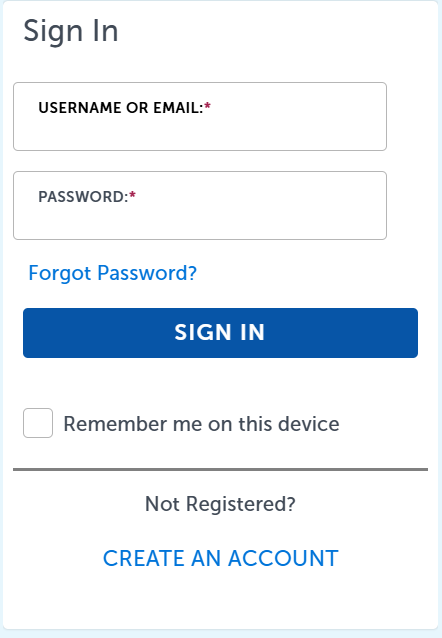
How do I know if I’m logged into the ONE Regional License and Permits Platform?
When you're logged in, you will see the message “Logged in as:” followed by your username in the top navigation bar. This area also includes links to “Logout” and “Account Management”.
Additionally, on the left side of the screen, you'll see a greeting like “Hello, [Your User Name]” confirming that you're signed in.
I forgot my password, what do I do?
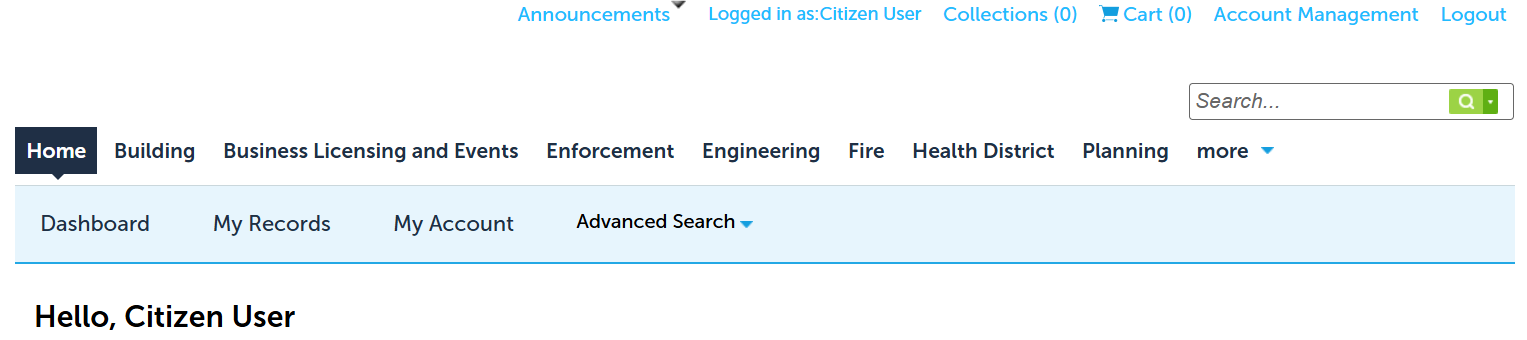
If you’ve forgotten your password, start by clicking the “Forgot Password?” link on the login page. You’ll be asked to enter the email address you used when creating your account, then prompted to answer the security question you set up during registration. Once you’ve submitted your answer, click “Send New Password.” An email from noreply@accela.com will be sent to you with a temporary password—be sure to check your spam or junk folder if it does not appear in your inbox.
When you log in using your username and the temporary password, you’ll be prompted to create a new password. Enter the temporary password in the Old Password field, then choose a new password and enter it in both the New Password and Confirm Password fields. Your new password must be at least eight characters long and include an uppercase letter, a number, and a symbol.
When I attempt to log in, the site it says my account has been disabled. How do I reactivate it?
The contact details for each of the agencies taking part in the One Regional License and Permit Platform at the bottom of this page.
What tasks can I do without registering or logging in?
- Search for property information
- Search for a permit or license
- Submit Code Enforcement complaints
- Search for a Code Enforcement complaint
What tasks can I do when I log on as a registered user?
- Apply for specific Building, Engineering, Fire, Health and Planning Permits from Reno, Sparks, Washoe County, and the Washoe County Health District
- Apply for Business Licenses from Reno, Sparks and/or Washoe County
- View and download documents attached to your license or permit
- Create customizable lists of licenses and permits (using the Add to Collection link in the search results, or on the record).
- View and pay for fees associated with your license or permit
- View and manage contacts associated with your application, license or permit
- Schedule inspections related to your license or permit application
Why can’t I apply for a permit? Why can’t I see my permit status?
Please verify that you are logged into the site, please refer to the, "How do I know I am logged into the ONE Regional License and Permits Platform?", section above.
If you are already logged into the platform and you still are unable to see you permit please contact the permitting agency to make sure that your account is properly linked to your permit.
What do the symbols under the status of my permit represent?
How do I apply for a license or permit?
How do I print my license or permit?
To print your license or permit, follow these steps:
-
Open your record.
You can do this in one of two ways:- Go to the Home tab and select My Records.
- Or, go to the department tab that matches your license or permit type and search for your record.
-
Access the Attachments.
Once your record is open:- Locate and click the Record Info dropdown menu.
- Select Attachments from the list.
-
Find and print your document.
- If your license or permit has been issued, it will appear on the Attachments page.
- Click the file name to open it.
- Use your browser or PDF viewer’s print function to print the document.
How do I see past permits/licenses even though I haven't registered online in the past?
For permits or licenses created before online application was possible, you will need to create an account on the Regional License and Permits Platform. You can then contact the agency that issued the license/permit and request that your new account be added to the license/permit record.